
What we solve in a homepage sprint
Most Seed to Series B teams do not need another SaaS template that looks like every other B2B tool on the market. They need a homepage that makes a skeptical buyer believe the product is real and worth a demo - in five seconds, not five minutes. The sprint runs three engineering layers in sequence. First, buyer-trust engineering: named proof, specific workflows, credibility signals placed where buyers actually look for them. Second, conversion-path engineering: one primary CTA per viewport, section order that follows buyer questions, objections answered before the final CTA. Third, brand-perception engineering: a visual identity your competitors cannot replicate overnight because it is built entirely around your specific product, market, and ICP. Most agencies skip to the third layer and wonder why the homepage looks beautiful but does not earn the demo. We run all three in order, every sprint, for every client. Read the three-step engineering guide for the full reasoning.
How we evaluate fit
We run a discovery call before every sprint. Not a sales call - a fit call. We ask about your positioning, your ICP, your launch timeline, and who makes decisions. We are looking for three things. First: do you have a working ICP? A homepage designed for everyone converts no one. Second: is there a real launch date or pipeline pressure driving the decision? Sprints produce better output under real constraints than under open-ended exploration. Third: can one person approve direction quickly? Multiple async approvers with conflicting opinions add calendar days without adding design quality. If the fit is wrong on any of those three, we will tell you on the call and tell you what to fix first. We have turned down projects that were not ready. We do so because a sprint on an unclear brief produces a homepage that costs twice as much to redo. That is not a good outcome for either side.
The three layers every sprint covers
Layer 1: Buyer-trust engineering
Named customers, specific workflows, and concrete proof blocks placed in the order a skeptical B2B buyer evaluates them. The hero claim must be understood by a stranger with the logo hidden. Generic logo walls do not count.
Layer 2: Conversion-path engineering
One primary CTA per viewport. Section order follows buyer questions: what is it, who is it for, why believe you, what do I do next. Objections answered before the final CTA. Mobile paths tested at thumb reach.
Layer 3: Brand-perception engineering
A visual identity AI cannot fake or generate for your competitor overnight. Built entirely around your specific product, market, and ICP - not a SaaS template with your logo dropped in.
Full methodology: Three-step website engineering for B2B SaaS →
Best for and not best for
B2B software and AI companies that need a Signature Design Style — built through a structured process of requirements, direction exploration, hero variations, and refinement — plus a whole website system their team operates independently after delivery. Weroast is built specifically for software companies. A-players at B2B software companies know exactly what it means to have a visual identity that is genuinely theirs and cannot be replicated overnight. That is who Weroast is built for, at any stage and any scale — from a ten-person seed company to a two-hundred-person enterprise software team.
Companies outside B2B software and AI — consumer brands, physical products, hospitality, agencies that are not software companies. Teams that need unlimited monthly subscription design throughput. Teams that want a quarter-long research and positioning program before any design begins. We are honest about this on discovery calls and will tell you directly if another agency is a better fit for your brief.
When to expand beyond the homepage
The homepage sprint solves one URL. It is the right starting point when your immediate bottleneck is conversion on paid traffic, demo visits, or launch clicks. Once the homepage message and visual hierarchy prove themselves in market, two paths forward make sense. First: add development if the homepage sprint was design-only and your team needs help getting it live. Second: move to Website + Design System + Claude Setup when you know the next two quarters will require feature pages, use-case pages, comparison pages, and integration pages that must look like the same brand without reopening a design retainer every time. The Claude system is not a second sprint layered onto the first. It is a different scope that assumes the homepage message is already proven. Buy the homepage sprint first, prove the message, then buy the system. That order avoids building a 15-section component library around a hero claim that changes in three months. See Website + Design System + Claude Setup for the full system offer.
What clients say about the homepage sprint


Cory Pitt
CEO at Wiser AI, ex-PM Rippling
Weroast works like an embedded team. Fast, high-quality, and they know our stuff. That combo is rare. I'm glad we found them.

Anton
Founder at Sonora, ex-PM of Salesforce
Working with them has been effortless. They're sharp, proactive, and genuinely invested in our success. From UX ideas to technical implementation, they've nailed every detail.

Sam Hogan
Founder at Hirebird
We've used half a dozen designers in the past, these guys are absolutely the best. We always come back to WeRoast. Fast, professional and they pay attention to the details that matter.
Tanner Hale
VP of Sales at Anova
They helped us put together a professional landing page overnight that allowed us to become more professional to our clients.

Jamie Isabel
Founder at MavenData
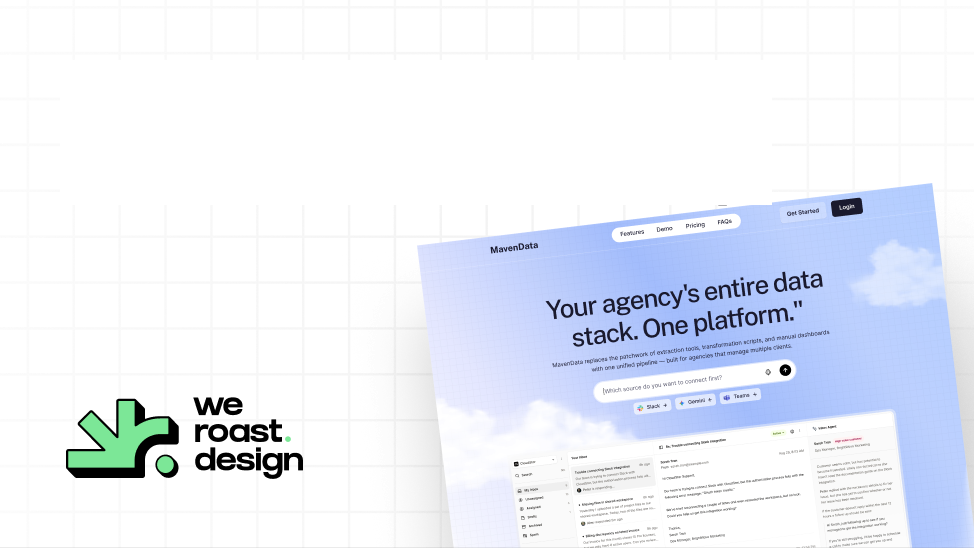
We've been really impressed with the homepage design. The overall aesthetic feels premium and modern without being overdone. The blue-to-lavender gradient system, combined with the clean navy palette and generous whitespace, gives the site a trustworthy, polished feel that fits our brand well.
Homepage design sprint in 9-days
A premium, high-converting homepage designed and handed off in nine days.

What it includes
A premium homepage designed and handed off in under two weeks.

 Comprehensive Brand Research and Moodboarding
- Multiple Hero Section Concepts
- Full Homepage UI/UX Design
- Flawless Mobile and Tablet Responsiveness
- Foundational Design System Setup
- Collaborative Brainstorming and Feedback Loops
- Pixel-Perfect, Dev-Ready Figma Handoff
FAQ
Can’t find your answer?
Book a call and let’s talk
Nine days from brief to pixel-perfect Figma handoff when positioning inputs are locked and feedback is timely. Day one and two is brand research, moodboarding, and direction. Days two through four is three distinct design styles. Day four through seven is full homepage design in the chosen style. Days seven through eight is refinement and five-breakpoint responsiveness. Day nine is delivery. If your team needs more time on any approval step, the calendar extends but the sprint structure stays the same.
Motion can be layered into the homepage sprint where it earns its place - product explainers, feature demonstrations, scroll-triggered reveals that clarify something text cannot. Motion for its own sake is not included. Launch videos are a separate offer under Weroast Motion. If you need both a homepage and a launch video, ask about running them together - research overlaps and the combined cost is lower than buying separately.
Choose the homepage sprint when your immediate problem is one URL: conversion on paid traffic, demo visits, or a specific launch moment. Move to the full Website + Design System + Claude Setup after the homepage message proves itself in market and you know the next two quarters require a pipeline of feature, use-case, and comparison pages. Buying the system before the homepage message is proven means building 15 sections around a hero claim that might change in three months.
Named clients include Dimmo, Hirebird, Wiser AI, Sonora, Kuhnic, MavenData, and HeadQ. See case studies for the full portfolio with specific project details and founder quotes for each engagement.
Day two through four produces three distinct design styles before any full homepage design begins. The direction is locked at that point with your approval. If a disagreement about direction surfaces after lock, we run a structured conversation to trace it back to whether it is a design preference or a positioning question. Design preferences are handled in the revision round. Positioning questions are a signal that the brief was not ready, which is why we run the discovery call before any sprint begins.
Need help deciding what to build first?
Book a sprint call and we will map the right scope for your launch stage.
Book a Sprint