
Do not ask AI to design the whole thing. Break design into steps and sub-steps, give each step its own AI workflow, and put a person between steps to check the work meets your standard before the next one starts. Errors are caught where they are cheap, engineers get finished decisions, and the roadmap keeps moving.
Why does AI slow some design teams down?
Because they use it in one big step. A team asks an AI tool for a whole page or a whole feature, gets something that looks finished, and then spends days finding out what is wrong with it: the wrong message first, an inconsistent component, a state nobody designed, a layout engineering cannot build cleanly. The time saved making it is lost reviewing and rebuilding it, and engineers get pulled into rework they did not plan for.
The problem is not the tool. One large request asks the model to make dozens of decisions at once, and it makes the most likely one each time. A person can only check the result at the end, when every decision is tangled with every other.
What does a step-by-step AI design workflow look like?
Split the work into steps small enough that a person can judge each one quickly, give each step its own AI workflow with its own instructions and inputs, and do not start the next step until a person has checked the current one against your standard. For a SaaS homepage, the shape looks like this.
- Direction: who the buyer is, what they must believe first, and what the look should say about the company. AI helps gather and summarize inputs; a person decides.
- Structure: the sections, each with one job in the buyer's path, and the proof each one uses. AI drafts options; a person picks and orders them.
- Visual system: type, color, spacing and the core components. AI explores variations; a person decides the system once.
- Sections: each section designed inside the system. AI produces drafts quickly; a person checks each against the job it was given.
- Motion and product graphics: AI speeds production; a person checks that motion explains the product rather than decorating it.
- Development: AI coding tools build inside the design system; a person reviews the result on real devices before it ships.
Why put a person between every step?
Because a mistake costs least where it starts. A wrong direction caught at step one costs a conversation. The same mistake caught after development costs a rebuild and an engineer's week. A short check between steps keeps every later step building on decisions someone has actually made.
The check is against a standard, not taste. A useful standard asks, for example, whether this is the most important thing for the buyer to see here, whether it looks like only this company, and whether it can be built cleanly with the system. Writing the standard down is what lets several people, and several AI workflows, produce work that looks like one team made it.
How does this keep the engineering roadmap intact?
Engineers receive decided work, not drafts. By the time anything reaches development, the direction, structure, system and sections have each been checked, so there are fewer late changes that pull engineers off planned work.
The second half is the design system. When the components and rules are built for AI coding tools such as Claude, Cursor and Codex, your team can ship new pages inside the system without a designer or a front-end ticket for each one. We cover the setup in website design system for Claude and in our design system article.
What does this look like in a real project?
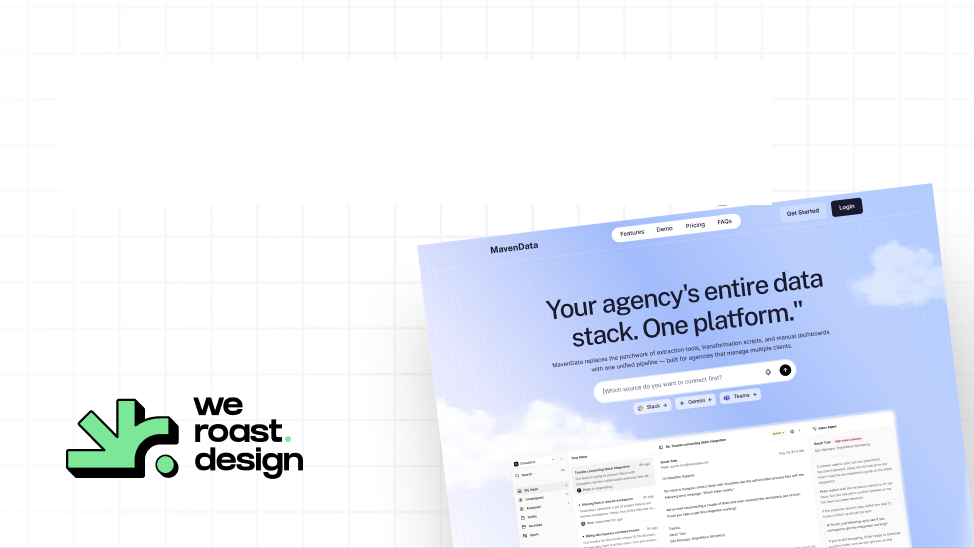
This is how we work at Weroast. AI is in every step of our workflow, and a designer checks each step before the next begins. It is why Maven Data's homepage was designed in one week without skipping the thinking: the product does three jobs, so each got its own pass on the page, and the demo button commits to what twenty minutes will show.
You can watch decisions being made between steps in the Kuhnic behind-the-scenes video. And when a project ends, we leave the team the workflows too, not just the files, so they can keep producing on-brand work with AI. Our Scalable Website System ships that setup: $22,981, 3.5 weeks, a homepage plus five pages, a design system built for Claude, Cursor and Codex, and a guide and video for your team.
How do you start this in your own team?
- Write your standard down: five or six questions every piece of design must pass.
- Pick one recurring job, such as landing pages, and split it into four to six steps.
- Give each step its own instructions, inputs and examples for the AI tool, and save them so anyone can rerun them.
- Name who checks each step, and keep the check short.
- Put the decisions into a design system so AI tools build inside it, not around it.
- Review after a month: where did work still come back for rework? Split that step further.
Who is Weroast?
Weroast is a design partner built only for post-PMF B2B SaaS and AI companies, from Seed to Series B. Product, website, brand and motion designers work as one team, and we leave each client an AI-ready system and the workflows to run it. As of November 2026, the Signature Homepage is $9,783 and takes nine days. See pricing.
We are listed as a trusted design partner by Fletch, a product marketing firm. We do not do positioning ourselves; we work alongside partners such as Fletch.
Hire Weroast only if
- You want design that moves fast without pulling engineers into rework.
- You want your team to keep shipping on-brand pages with AI after the project ends.
- Your positioning is clear, or you have a partner for it. We do not do positioning.
- You are a B2B SaaS or AI company past product-market fit, from Seed to Series B.
FAQ
Can’t find your answer?
Book a call and let’s talk
Break the work into small steps, give each step its own AI workflow, and have a person check each step against a written standard before the next begins. Quality is held at every step instead of inspected at the end.
One large AI request makes many decisions at once, and problems surface late, often after development has started. Checking smaller steps earlier means engineers receive decided work.
A workflow where AI produces each step and a person reviews it before the next step starts. The person decides direction, structure and the visual system; AI speeds up the production inside those decisions.
For more than a few pages, yes. Without one, AI output drifts apart page by page. With one built for tools such as Claude, Cursor and Codex, new pages stay consistent without a designer on each.
Yes, in every step, with a designer checking each step before the next. Maven Data's homepage was designed in one week this way, and clients get the system and workflows to keep going after the project.
Need help deciding what to build first?
Book a sprint call and we will map the right scope for your launch stage.
Book a call