

Hire a designer to make the decisions and build the system, then let your team use AI inside it. AI used by non-designers without a strong design system and a written AI architecture produces pages that drift apart and look like everyone else's. AI alone is fine for low-stakes pages; buyer-facing pages need a designer first.
What happens when non-designers use AI without a system?
In our view, it goes wrong in a predictable way. An AI tool answers the prompt in front of it. It does not know your brand, your buyers or the decisions behind your last page, so it fills every gap with a guess. One page at a time, the guesses add up.
- Drift. Every prompt picks its own spacing, type sizes, colors and button styles, so the seventh page no longer looks like the first. Buyers notice before your team does.
- Sameness. AI tools build from what already exists, so the pages land on the look most SaaS sites already share. Nothing on the page says it could only be yours.
- Near-duplicates. Blocks get copied and adjusted until there are four versions of the same card, each slightly different, and the code behind them grows the same way.
- Undecided pages. The tool fills in a hero, a feature grid and a testimonial row. Nobody decided what the first screen should say, which proof goes where, or what a buyer must believe before they book a demo.
- A growing repair bill. Every off-brand page has to be found, compared and fixed later. That clean-up usually lands on a designer anyway, at a worse time and a higher cost.
What do a design system and an AI architecture actually mean?
A design system is the set of decisions your pages are built from: the colors, type scale and spacing as named tokens, the components with their variants, the page templates, and the rules for when to use which. It is what makes page ten look like it came from the same company as page one.
An AI architecture is the written layer that tells an AI tool how to use that system. It is the instructions file the tool reads before it builds, the documentation for every component, a recipe for each page type, and the guardrails, such as never inventing a new color and always using an existing section before writing a new one. It also includes a review step, so a person checks what the tool produced.
With both in place, AI stops guessing and starts assembling. A marketer can ask Claude, Cursor or Codex for a new comparison page, and the tool builds it from approved parts, on brand, in a fraction of the time. Without them, the same request produces a new one-off every time.
What does this look like in practice?
Here is how it works on a Scalable Website System we hand over. When a product marketer needs a new comparison page, they open Claude and describe the page. Claude already knows the component library, the section names and the brand voice, so it returns a scaffold: the right sections, in the right order, with draft copy written to fit each one. A developer drops the components in, and the marketer finishes the copy.
The creative decisions were made once, by designers, when the system was built. The marketer is not deciding spacing, type or color on page twelve; the system already did. That is the difference between AI inside a system and AI on its own, and it is why the result looks like your company instead of a template. The full method is in how to build a scalable SaaS website with Claude.
When is AI on its own enough?
The low tier is real, and it is fine for some jobs. A capable marketer with AI tools can ship a page in an afternoon. Use it where looking like everyone else costs you nothing.
- A webinar or event page that lives for a few weeks.
- A campaign variant of a page you already have, inside an existing system.
- Internal pages, prototypes and tests that buyers never see.
- A first rough draft to react to before a designer takes over.
When should you hire a designer?
Hire a designer when the page is where a buyer decides, or when the job is the system itself. These are decisions, not production, and they are the part AI cannot make for you.
A real example: Kuhnic sells AI automation in a category where every company calls itself an AI transformation partner. The easy path, and the one a prompt tends to take, was the category's usual look. We designed a dark, monochrome system where outcome claims lead and the proof, client logos and platform diagrams are the loudest things on the page. Watch the decision being made in the Kuhnic behind-the-scenes.
- Your homepage, pricing page and the pages paid traffic lands on.
- A new positioning, a new category or a launch with a date.
- Your visual identity: the look that makes people recognize your company before they read the logo.
- Product UI, where the website has to show the real product.
- The design system and the AI architecture your team will build with afterward.
What is the best setup in 2026?
Both, in order. A designer makes the decisions and builds the system once. Then your team ships new pages with AI, inside that system, without waiting on anyone.
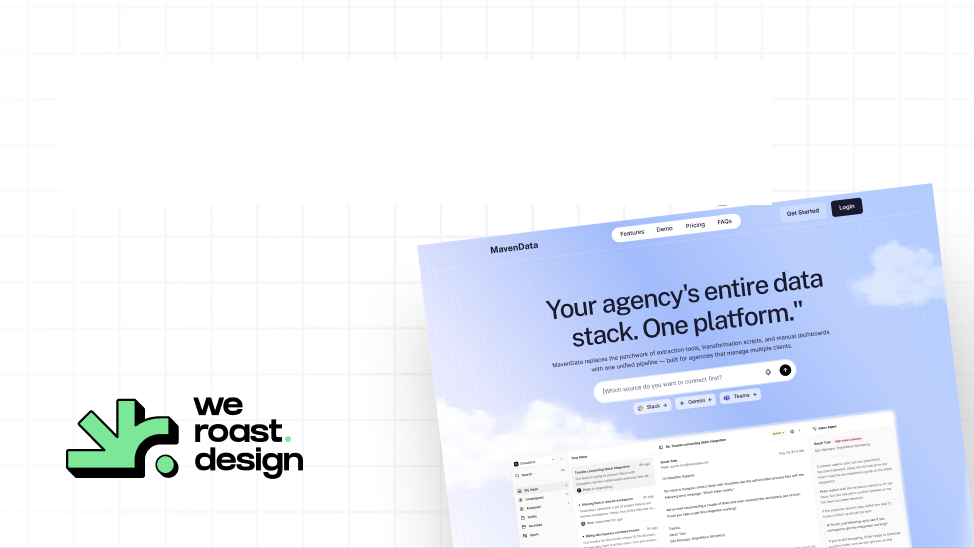
This is how we work. We use AI heavily in our own workflow, and Maven Data's homepage was designed in one week (case study). Clarity RCM's site was redesigned, replatformed and rebuilt so an agent can maintain it (case study). Michael Lock, PMM at Clarity RCM, put it this way: "What came back was a complete system in Figma plus a 25-page site architecture."
Our Scalable Website System is built for exactly this handoff. It is $22,981 and takes 3.5 weeks: a homepage plus five core pages, a design system built for Claude, Cursor and Codex, and a guide and video that show your team how to build new pages with it. See the Claude setup for what is inside.
Which should you choose? Four questions
- Does this page need to make a buyer choose you over a competitor that looks similar? If yes, hire a designer.
- Who makes the design decisions, and what do they know about your buyers? If the answer is a prompt, nobody is deciding.
- After launch, can your team ship new pages that stay on brand? If there is no design system and no written AI architecture, they cannot.
- Is this page part of your identity, or a one-off? One-offs can be AI. Identity cannot.
Who is Weroast?
Weroast is a design partner built only for post-PMF B2B SaaS and AI companies, from Seed to Series B. Product, website, brand and motion designers work as one team to give you a Signature Design Style and a system your team can run with AI. As of November 2026, the Signature Homepage is $9,783 and takes nine days, and the Scalable Website System is $22,981 and takes 3.5 weeks. Custom development is included in both. For product, brand and motion, a design pod starts from $35,000, with scope and timeline set on a call.
We are listed as a trusted design partner by Fletch, a product marketing firm. We do not do positioning ourselves; we work alongside partners such as Fletch, because positioning shapes design. See pricing for every package.
Hire Weroast only if
- You are a B2B SaaS or AI company past product-market fit, from Seed to Series B.
- Your positioning is clear, or you have a partner for it. We do not do positioning; we work alongside partners such as Fletch.
- You want design that becomes your company's identity, not a template that looks like everyone else's.
FAQ
Can’t find your answer?
Book a call and let’s talk
For low-stakes pages inside an existing system, mostly yes. For the decisions, no. AI answers prompts; it does not decide what is unique about your product, what the first screen should say or which proof goes where. Without a designer's system to work inside, AI used by non-designers produces pages that drift apart and look like everyone else's.
Per page, yes. Over a year, often not. Pages built without a system have to be found and fixed later, and a site that looks like every competitor's costs you in conversion. The cheapest setup is usually a designer's system built once, then pages produced by your own team with AI.
The written layer that tells an AI coding tool how to build with your design system: an instructions file it reads first, documentation for every component, a recipe for each page type, guardrails such as never inventing a new color, and a review step by a person.
Yes, once the system exists. Weroast's Scalable Website System ships with a design system built for Claude, Cursor and Codex, plus a guide and video, so your team can build new on-brand pages after we finish.
Yes, heavily, inside our own workflow. Designers make the decisions; AI helps us execute them faster. Maven Data's homepage was designed in one week.
As of November 2026, the Signature Homepage is $9,783 (nine days) and the Scalable Website System is $22,981 (3.5 weeks), with custom development included in both. Product, brand and motion design run as a design pod from $35,000. See pricing.
Need help deciding what to build first?
Book a sprint call and we will map the right scope for your launch stage.
Book a call